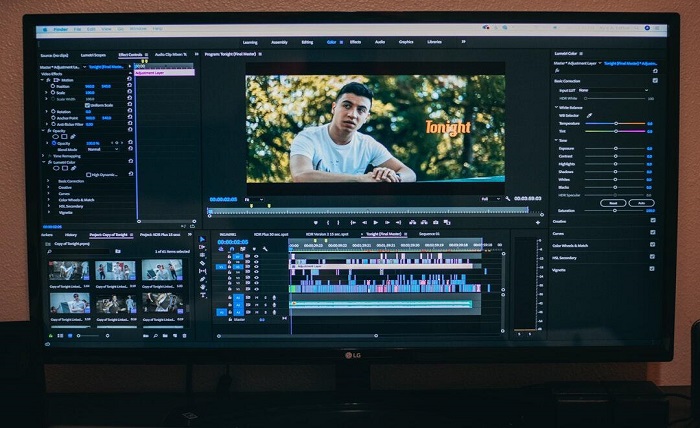
In today’s digital world, capturing and sharing moments has never been easier. With the rise of social media, videos have become essential for expressing creativity and sharing fun experiences. However, these videos can sometimes be too large or unwieldy for quick sharing.
That’s where GIF converter tools come into play. These handy tools turn videos into smaller, shareable clips that make communication engaging and fun. Read on!
What Are GIFs and Why Use Them?
GIFs, or Graphics Interchange Format, are short animations or video clips that loop infinitely. They are perfect for sharing on platforms like Twitter, Instagram, and Facebook.
Unlike regular videos, GIFs don’t require users to press play, making them instantly engaging. Plus, they are often smaller in size, allowing for quick uploads and downloads.
Using GIFs is a fantastic way to express emotions or reactions without using words. Whether it’s a funny moment from a movie or a cute pet doing something silly, a GIF can say it all.
Additionally, GIFs can also help to illustrate points in educational content. For example, a GIF can show a science experiment in action, making learning more enjoyable for kids.
How GIF Converter Tools Function
GIF converter tools take longer videos and compress them into a shorter format that creates looping animations. Upload the video you want to convert. Choose the section you want to turn into a GIF.
Be sure to adjust settings like size and frame rate if necessary. These tools can vary in interface and feature set, but they all follow similar steps for creating that perfect animated clip. Most importantly, these converters can turn a lengthy video of, say, a family vacation or a sports highlight, into a quick and shareable clip that captures the best moments.
Types of GIF Converter Tools
When it comes to choosing a GIF converter, there are many options available. Each tool has its unique features that cater to different user needs.
Online GIF Converters
Online GIF converter tools are accessible directly through web browsers. They allow users to upload videos without needing to install software. These converters are typically free and straightforward.
Users can easily paste a video link or upload a file from their device. Online converters are excellent for quick edits and conversions on the go.
Desktop Applications
If you prefer working on a computer, various desktop applications offer powerful features for converting videos to GIFs. Software can create high-quality GIFs from videos.
However, these applications often come with a price tag. They provide more control over the conversion process, offering advanced settings for size, duration, and quality. This is ideal for users looking to create professional-grade GIFs.
Popular GIF Converter Tools
There are numerous GIF converter tools available today. Here’s a look at some of the most popular options known for their efficiency and user-friendliness.
Giphy
Giphy is not only a well-known GIF library, but it also offers a free GIF converter tool. You can upload your videos or paste links from platforms like YouTube. Giphy automatically creates short clips and allows you to add captions and stickers, making the experience creative and interactive.
EZGIF
EZGIF is an easy-to-use online tool that provides various features for GIF creation and editing. You can upload videos to create GIFs and then edit them by cutting, resizing, and adding effects. EZGIF stands out for its user-friendly interface and flexibility in handling different formats, such as MP4 and AVI.
Convertio
Convertio is another great online converter that supports a wide range of file formats. This tool offers a simple drag-and-drop function, making it easier for users of any age to create GIFs from their videos. Convertio also considers aspects like file size, ensuring that your GIF remains lightweight and easy to share without sacrificing quality.
Benefits of Using GIF Converters
Making GIFs from videos comes with numerous benefits. Here are a few reasons to start using GIF converter tools today:
GIFs are typically smaller in file size compared to videos. This makes them super easy to share across social media and messaging platforms. You can just copy and paste a GIF, making it a hassle-free experience.
Since GIFs loop automatically, they grab attention much faster than videos. This feature increases engagement on social media platforms where capturing interest quickly is crucial.
With the ability to add text, stickers, and effects, GIF converters open up a world of creative possibilities. You can personalize GIFs to fit your style or message perfectly.
Teachers can use GIFs to make lessons more interactive. For example, showing a science process through a GIF can help students understand concepts better.
Tips for Creating Effective GIFs
Creating quality GIFs isn’t just about converting a video. Here are some tips to ensure your GIFs are eye-catching and effective:
Choose the Right Content
Always pick a clip that conveys emotion, humor, or excitement. A meaningful or entertaining moment will connect better with viewers than a random snippet. The right content ensures your GIF stands out and gets shared more often.
Keep It Short
GIFs work best when they are quick and easy to watch. Keeping them under six seconds prevents viewers from losing interest. Shorter loops also make the action feel punchier and more memorable.
Optimize Size and Quality
Finding the right balance between file size and clarity is important. A GIF that is too large may be difficult to load, while a low-quality one may look unprofessional. Adjust the settings on your converter to get the best results for your needs.
Add Captions Creatively
Captions can highlight the humor or context of your GIF. Use short, clever text that enhances the visuals without distracting from them. Well-placed captions can make your GIF more relatable and engaging.
GIF Converter Tools to Turn Videos into Shareable Clips
GIF converter tools are an exciting way to turn videos into easily shareable clips that can enhance communication and creativity online. Whether you want to share a laugh, celebrate a special moment, or educate others, GIFs can make your content stand out.
By understanding how these tools work and exploring popular options, you’ll be well on your way to creating captivating GIFs. Don’t wait! Begin using a GIF converter today to transform your favorite videos into shareable masterpieces.
You can find more useful and interesting articles on our website. Be sure to visit us and read more.