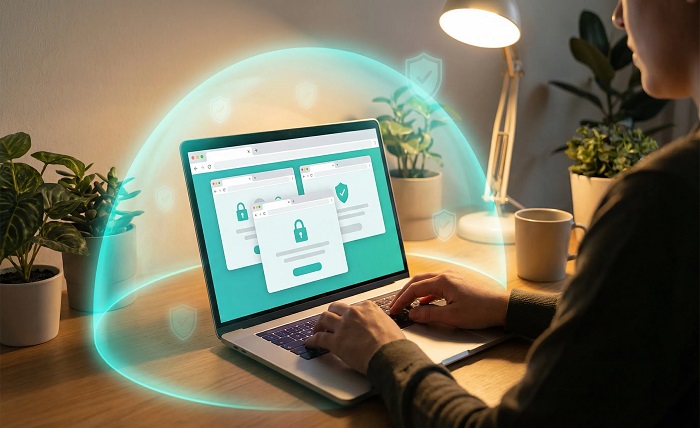
I’m Ramona P. Woodmansee, and after years of researching online scams, sketchy apps, and the shady corners of the internet, I can tell you one thing with certainty: most people get burned not because they’re careless, but because they don’t know what to look for. A convincing logo, a few fake five-star reviews, and a slick landing page are all it takes to fool someone into downloading something dangerous or handing over personal information to a stranger.
This guide is for anyone who has ever stared at a download button and thought, Wait – should I actually trust this? Whether it’s a random browser extension, a third-party app that promises to unlock features, or a website run by someone you’ve never heard of, these checks will help you separate the legitimate from the fraudulent before you click anything.
Start With the Domain and Publication Date
One of the fastest ways to gauge a website’s legitimacy is to look at when the domain was registered. You can use a WHOIS lookup tool to find this information in under a minute. If a site claims to be an established company but its domain is only three weeks old, that’s a significant red flag. Scammers spin up new domains constantly because old ones get flagged and blacklisted.
Also pay attention to the domain name itself. Fraudulent sites often use subtle misspellings of trusted brands – think “Paypa1.com” instead of “Paypal.com” – or they pile on extra words to seem official. A domain like “secure-download-app-free-tool.net” should immediately raise your suspicion. Legitimate companies invest in clean, simple domain names.
Research the Person or Company Behind the Tool
Anonymous tools are risky tools. Before you download anything, try to find out who actually built it. Legitimate developers and companies have a traceable online presence – a real business name, a contact address, social media accounts with consistent activity, and ideally a history of published work or other verified products.
If you’re trying to vet a specific individual – say, someone who runs a niche tool or online service – a background check can reveal whether their identity checks out. Services that let you run a people search or reverse lookup without locking you into a monthly fee are genuinely useful here. For occasional use, a beenverified alternative with pay-per-search pricing makes more practical sense than subscribing to something you’ll only need once or twice. Being able to confirm that a person’s name, location, and history are consistent with what they’ve claimed online is a simple but powerful verification step.
Read the Reviews – But Read Them Carefully
Reviews can be faked, and scammers know this. A flood of five-star ratings with vague, generic praise and no detail is often a sign of manufactured feedback. Look instead for reviews that describe specific experiences, mention real problems, or show that users have been engaging with the tool over a period of time.
Check multiple platforms. If a tool has glowing reviews on its own website but nothing on Reddit, no discussion threads anywhere, and no mentions in independent tech forums, that silence is telling. Real tools with real users generate real conversation – both positive and critical.
- Search the tool’s name alongside words like “scam,” “fake,” or “virus” to surface warning posts quickly.
- Look for one-star reviews specifically – they tend to be the most honest and detailed.
- Check if the developer has responded to complaints, which signals accountability.
Inspect the App Permissions and Privacy Policy
Before installing any app, scroll to the permissions it’s requesting. A flashlight app that wants access to your contacts, microphone, and location data has no reasonable justification for those requests. Permissions that exceed what the app actually needs to function are a classic warning sign of data harvesting or worse.
The privacy policy is equally important and almost always ignored. You don’t have to read every word, but scan it for mentions of data sharing with third parties, data retention policies, and what happens to your information if the company is sold or shuts down. The absence of any privacy policy on a tool that handles personal data should be treated as disqualifying.
Use a URL Scanner Before You Click Anything
If someone sends you a link you’re not sure about, don’t click it to find out where it goes. Use a URL scanning service that will visit the link on your behalf and report back whether it’s flagged for malware, phishing, or other threats. This single habit can protect you from a huge category of online harm.
You can also use sandbox tools that show you what a website or downloaded file actually does in a controlled environment, without exposing your real device. These are especially useful when evaluating tools that claim to offer features too good to be true.
Think About Your Overall Digital Hygiene
Staying safe online isn’t just about any single check – it’s a habit of awareness built into your daily routines. The same logic applies to your broader wellbeing. I’ve found that when people are run down, stressed, or not sleeping well, they make faster, less critical decisions – including clicking on things they wouldn’t normally trust. It sounds like an odd connection, but an integrative wellness approach that addresses stress, sleep, and daily habits genuinely sharpens the kind of mental clarity that helps you pause and think before you act online.
When you’re operating at your best, you’re more likely to notice that something feels off before you act on it. That instinct is worth protecting.
A Final Checklist Before You Download Anything
- Is the domain old enough and clean enough to suggest a real, established presence?
- Can you verify the identity of the person or company behind the tool?
- Are the reviews specific, spread across multiple platforms, and include honest criticism?
- Do the app permissions make sense for what the tool is supposed to do?
- Does the tool have a real, readable privacy policy?
- Have you run the URL through a scanner before visiting or clicking?
None of these steps takes more than a few minutes. Together, they can save you from data theft, malware, or handing your personal information to someone who never had good intentions. The internet is full of tools that are exactly what they say they are – and also full of ones that are not. Taking sixty seconds to verify before you click is one of the simplest and most effective habits you can build.