Introduction
Snapseed QR codes have become one of the most popular features for mobile photo editing enthusiasts. Whether you are a beginner photographer, a social media creator, or a professional editor, snapseed qr codes make editing faster and easier. Instead of manually adjusting brightness, contrast, saturation, and filters every time, you can simply scan snapseed qr codes and instantly apply professional edits to your photos.
The popularity of snapseed qr codes has grown rapidly because they save time and help users achieve consistent editing styles. Many influencers and photographers share snapseed qr codes online so others can recreate their editing styles with just one scan. This feature has completely changed the way people edit photos using the Snapseed app.
Snapseed itself is a powerful mobile editing application developed by Google. The app offers professional-level tools such as curves, selective editing, healing, HDR effects, and advanced color grading. However, snapseed qr codes simplify all these tools into one easy solution.
In this guide, you will learn everything about snapseed qr codes, including how they work, how to create them, how to scan them, and how to use them effectively for Instagram, portraits, selfies, landscapes, and more.
What Are Snapseed QR Codes?
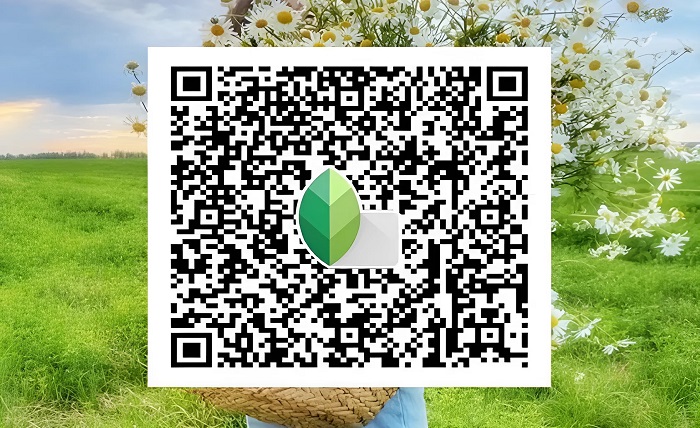
Snapseed qr codes are special scannable presets created inside the Snapseed app. These codes store editing settings such as brightness, contrast, sharpness, color tone, filters, and other adjustments. When someone scans snapseed qr codes, the exact same editing settings are applied instantly to their image.
The main purpose of snapseed qr codes is to make photo editing simpler and more consistent. Instead of remembering every adjustment, users can save their favorite edits into a QR code and reuse them anytime. This is especially useful for content creators who want a uniform aesthetic across their social media profiles.
One reason snapseed qr codes became so popular is their simplicity. Unlike complex editing software, Snapseed allows users to create and scan QR presets within seconds. This accessibility makes snapseed qr codes ideal for beginners who may not understand advanced editing techniques.
Snapseed qr codes are widely used for:
- Portrait editing
- Selfie enhancement
- Travel photography
- Nature photography
- Food photography
- Moody Instagram aesthetics
- Vintage effects
- Cinematic color grading
Another advantage of snapseed qr codes is that they can be shared easily through screenshots, websites, blogs, Pinterest boards, and social media groups. Users can download snapseed qr codes and instantly apply creative effects without any editing knowledge.
Because snapseed qr codes store exact editing settings, they ensure consistency across multiple images. This is very useful for influencers, bloggers, and businesses that want a recognizable visual style.
How to Create Snapseed QR Codes
Creating snapseed qr codes is very easy, even if you are new to photo editing. The Snapseed app includes a built-in option that lets users generate QR codes from their edits.
Follow these simple steps to create snapseed qr codes:
1: Open Snapseed
Download and install Snapseed Official App or the app store version on your smartphone. Open the application and select a photo you want to edit.
2: Edit Your Photo
Use the editing tools to customize your image. Common adjustments for snapseed qr codes include:
- Brightness
- Contrast
- Saturation
- Ambiance
- Highlights
- Shadows
- Warmth
- Curves
- HDR Scape
- Vintage filters
Spend time creating the perfect look before generating snapseed qr codes.
3: Open the QR Style Menu
After finishing the edit, tap the “Looks” or menu section. Find the QR style option. This feature allows you to create snapseed qr codes from your current editing settings.
4: Create QR Code
Select “Create QR Look.” Snapseed will instantly generate snapseed qr codes containing your editing settings.
5: Save and Share
Take a screenshot or save the generated snapseed qr codes. You can now share them with friends, followers, or clients.
Creating snapseed qr codes is an excellent way to build your own editing library. Many photographers organize different snapseed qr codes for various styles such as warm portraits, cinematic edits, black-and-white photography, or bright travel images.
How to Scan Snapseed QR Codes
Scanning snapseed qr codes is just as simple as creating them. Users only need the Snapseed app and an image containing the QR code.
Here’s how to scan snapseed qr codes correctly:
1: Open Snapseed
Launch the Snapseed application and choose the image you want to edit.
2: Access QR Look Feature
Go to the menu section and tap the QR Look option. This is where snapseed qr codes can be scanned and applied.
3: Scan the QR Code
Choose the “Scan QR Look” option. Your camera will open automatically. Point it toward the snapseed qr codes image.
4: Apply the Preset
Once scanned, the editing preset will instantly apply to your selected photo.
5: Fine-Tune the Image
Although snapseed qr codes automatically apply settings, you can still adjust brightness, saturation, or details manually to suit your image better.
Many users love snapseed qr codes because they provide instant professional edits. Instead of spending hours editing, users can achieve polished results in seconds.
Snapseed qr codes also help beginners understand how professional editing works. By applying different presets, users can observe changes in lighting, tones, and color grading techniques.
Best Types of Snapseed QR Codes for Different Photography Styles
Different snapseed qr codes are designed for different photography styles. Choosing the right preset can dramatically improve your photos.
Portrait Snapseed QR Codes
Portrait snapseed qr codes focus on skin smoothing, warm tones, balanced highlights, and natural contrast. These presets are popular among influencers and selfie creators.
Portrait snapseed qr codes usually include:
- Soft skin tones
- Warm temperature
- Reduced shadows
- Slight sharpening
- Smooth highlights
These presets make faces look brighter and more attractive without overediting.
Nature Snapseed QR Codes
Nature snapseed qr codes enhance greens, blues, and natural details. They are commonly used for landscapes, forests, beaches, and mountains.
Features often found in nature snapseed qr codes include:
- Vibrant colors
- Increased sharpness
- HDR enhancement
- Boosted saturation
- Better contrast
These presets help outdoor photography appear more vivid and dramatic.
Moody Snapseed QR Codes
Moody snapseed qr codes create dark cinematic effects with muted colors and deep shadows. They are very popular on Instagram.
Common features include:
- Dark shadows
- Matte finish
- Cool tones
- Reduced saturation
- Cinematic contrast
Moody snapseed qr codes are ideal for urban photography and artistic portraits.
Vintage Snapseed QR Codes
Vintage snapseed qr codes recreate retro photography styles with faded colors and film-like textures.
These presets often contain:
- Sepia tones
- Film grain
- Soft contrast
- Warm highlights
- Retro effects
Vintage snapseed qr codes are commonly used for nostalgic edits.
Black and White Snapseed QR Codes
Black-and-white snapseed qr codes focus on contrast, texture, and lighting.
They usually include:
- High contrast
- Sharp textures
- Deep shadows
- Bright highlights
- Film-inspired monochrome effects
These presets work well for dramatic portraits and street photography.
Advantages of Using Snapseed QR Codes
There are many reasons why snapseed qr codes are so popular among photographers and social media users.
Time-Saving Editing
One of the biggest benefits of snapseed qr codes is speed. Instead of manually editing every photo, users can apply professional presets instantly.
Consistent Aesthetic
Snapseed qr codes help maintain a consistent visual style across social media platforms. This is very important for influencers and brands.
Easy Sharing
Users can easily share snapseed qr codes through social media, blogs, messaging apps, or websites.
Beginner-Friendly
Even users with no editing experience can achieve professional results using snapseed qr codes.
Learning Tool
By studying different snapseed qr codes, beginners can understand how editing settings affect images.
Professional Results
Many photographers create high-quality snapseed qr codes that produce magazine-style edits.
Customizable
After applying snapseed qr codes, users can still modify settings according to their preferences.
These advantages explain why snapseed qr codes continue to gain popularity among content creators worldwide.
Tips to Make Better Snapseed QR Codes
Creating high-quality snapseed qr codes requires creativity and balance. Here are some important tips to improve your presets.
Use Natural Lighting
Photos with good lighting work best with snapseed qr codes. Natural daylight usually produces better results.
Avoid Overediting
Overly saturated or excessively sharp presets can make photos look unrealistic. Balanced snapseed qr codes are more versatile.
Test on Multiple Images
Before sharing snapseed qr codes, test them on different photos to ensure they work consistently.
Keep Skin Tones Natural
For portrait snapseed qr codes, maintain realistic skin colors. Avoid making faces overly orange or pale.
Organize Presets
Create separate folders for different snapseed qr codes styles such as portrait, travel, vintage, or cinematic.
Experiment with Curves
The curves tool is extremely powerful for creating unique snapseed qr codes. Experiment with shadows and highlights for creative effects.
Focus on Consistency
If you are building a social media aesthetic, make sure your snapseed qr codes produce a consistent editing style.
Professional creators often spend hours refining their snapseed qr codes to achieve signature looks.
Common Problems with Snapseed QR Codes and Their Solutions
Although snapseed qr codes are simple to use, users sometimes experience issues. Understanding common problems can help improve your editing experience.
QR Code Not Scanning
Sometimes snapseed qr codes fail to scan due to poor image quality or lighting. Make sure the QR image is clear and fully visible.
Preset Looks Different
Not all photos respond the same way to snapseed qr codes. Lighting conditions and camera quality can affect results.
Overexposed Images
If snapseed qr codes make images too bright, reduce highlights and exposure manually after applying the preset.
Colors Appear Unnatural
Some snapseed qr codes may oversaturate colors. Adjust saturation and warmth settings to restore balance.
App Crashes
Older devices may struggle with large edits. Updating the Snapseed app often fixes these issues.
QR Code Missing
If you accidentally delete snapseed qr codes, you may need to recreate them from saved edits.
Compatibility Issues
Ensure you are using the latest version of Snapseed for smooth QR code functionality.
Learning how to troubleshoot snapseed qr codes helps users achieve better editing results without frustration.
Future of Snapseed QR Codes in Mobile Photography
The future of snapseed qr codes looks extremely promising as mobile photography continues to grow. More creators are relying on smartphone editing apps for professional-quality content.
Snapseed qr codes are likely to become even more advanced with AI-powered enhancements, smarter presets, and automatic scene detection. Future versions may allow users to customize snapseed qr codes dynamically based on lighting conditions and image subjects.
Social media trends also continue to increase demand for quick editing solutions. Because creators need fast workflows, snapseed qr codes provide the perfect balance between quality and convenience.
Another important factor is community sharing. Thousands of users already exchange snapseed qr codes online through blogs, YouTube tutorials, Pinterest boards, and Instagram pages. This collaborative environment encourages creativity and experimentation.
Educational content about snapseed qr codes is also expanding rapidly. Many creators now teach editing techniques using QR presets, helping beginners learn photography editing much faster.
As smartphone cameras improve, snapseed qr codes will likely become even more popular for professional-grade mobile editing.
Conclusion
Snapseed qr codes have completely transformed mobile photo editing by making professional presets accessible to everyone. Whether you are a beginner or an experienced photographer, snapseed qr codes help save time, maintain consistent aesthetics, and improve editing quality.
From portrait photography to cinematic Instagram edits, snapseed qr codes offer endless creative possibilities. Their simplicity, flexibility, and shareability make them one of the best features available in the Snapseed app.
By learning how to create, scan, and customize snapseed qr codes, users can dramatically improve their editing workflow and achieve stunning results within seconds. As mobile photography continues evolving, snapseed qr codes will remain an essential tool for creators worldwide.
FAQs
1. What are snapseed qr codes used for?
Snapseed qr codes are used to save and apply photo editing presets instantly within the Snapseed app.
2. Can beginners use snapseed qr codes?
Yes, snapseed qr codes are beginner-friendly and require no advanced editing skills.
3. Are snapseed qr codes free?
Yes, snapseed qr codes are completely free to create, share, and use within the Snapseed app.
4. Can I create my own snapseed qr codes?
Absolutely. Snapseed allows users to generate custom snapseed qr codes from their own edits.
5. Why do snapseed qr codes look different on some photos?
Different lighting conditions, camera quality, and image colors can affect how snapseed qr codes appear on photos.